
Debugging Live Traffic is Painful
Traditional debugging tools stop working the moment HTTPS encryption enters the picture, leaving you guessing what went wrong when APIs fail in production.
Inspect Live Traffic in your Browser
QTap DevTools gives you a local browser-based view of all HTTP/S traffic on a single host. Perfect for emergency troubleshooting when you need to debug a specific server right now.
How It Works
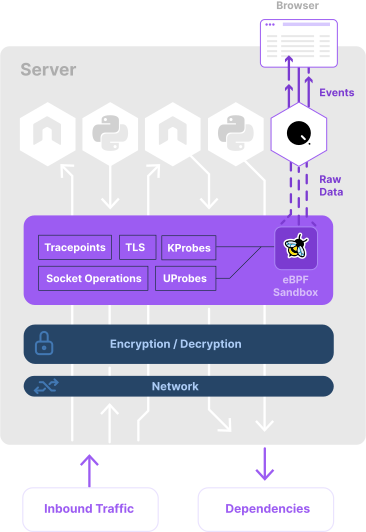
A lightweight, Linux-native sensor running in a guaranteed safe eBPF sandbox, taps into network traffic before and after encryption occurs. The raw data is then re-assembled into protocol-level events and forwarded to a browser-based interface.
Key Capabilities
See Inside HTTPS Without Proxies
eBPF hooks into TLS libraries before encryption happens
Process & Container Attribution
Know exactly which container made each request
Complete HTTP Transaction Details
Full request/response with headers, body, and timing
Real-Time Streaming
New requests appear instantly via Server-Sent Events
What's in the Box?
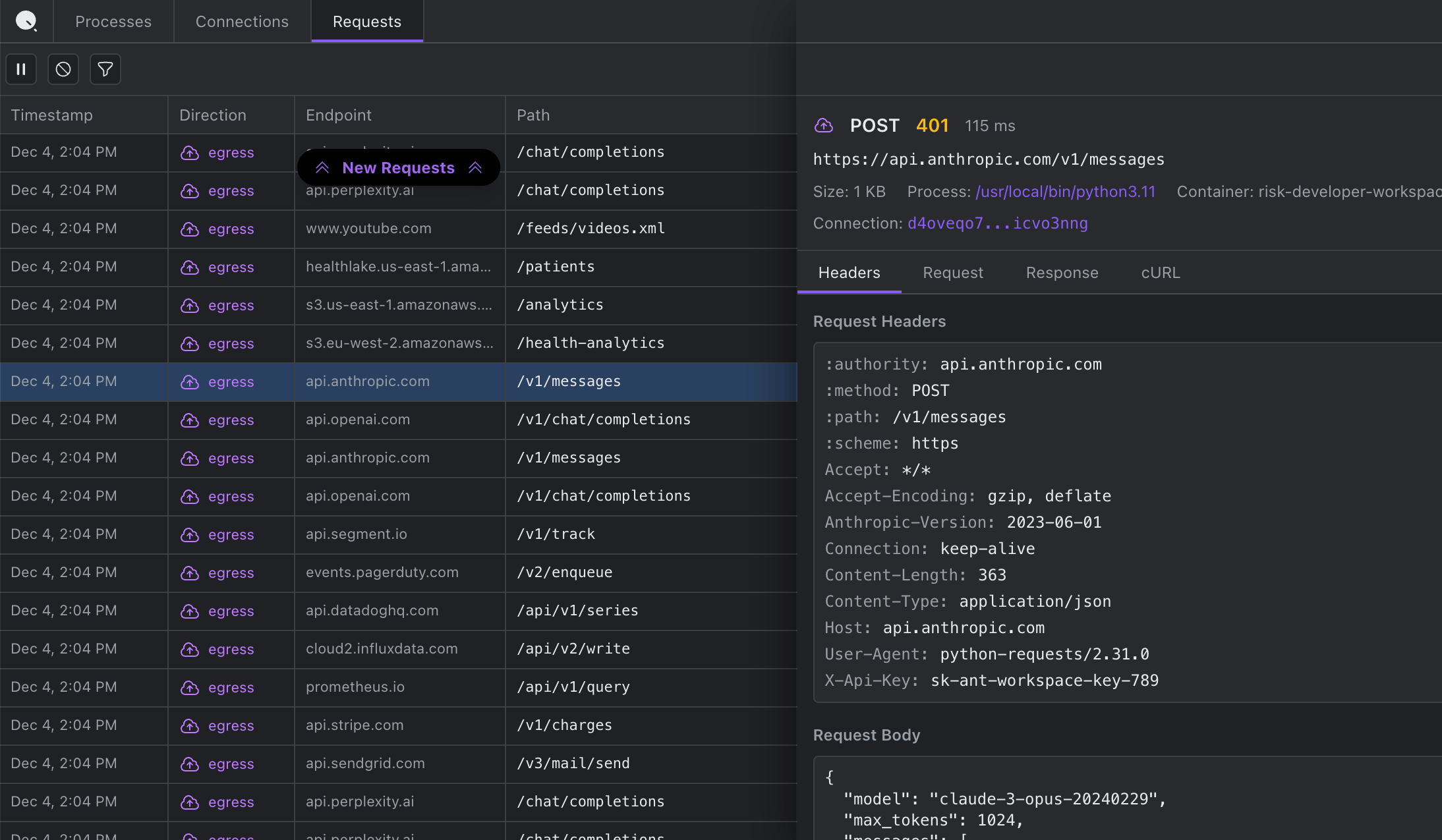
Requests
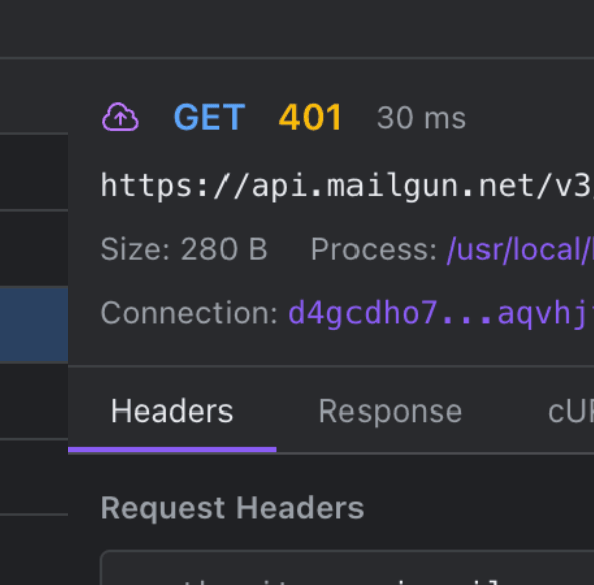
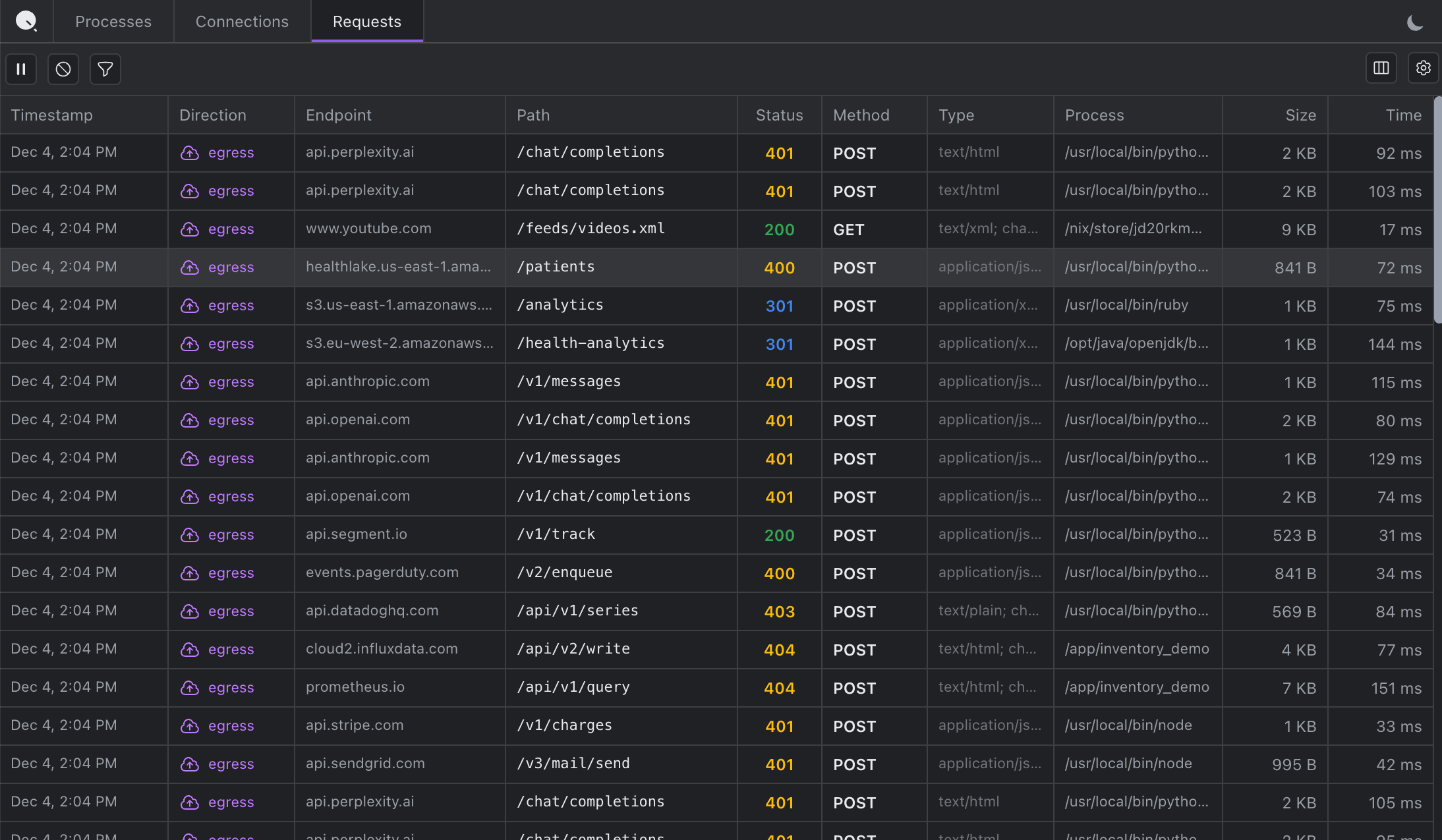
The closest equivalent to Chrome DevTools' Network tab. Click any request to inspect the complete transaction, copy as cURL, and debug authentication failures by seeing exactly what was sent.
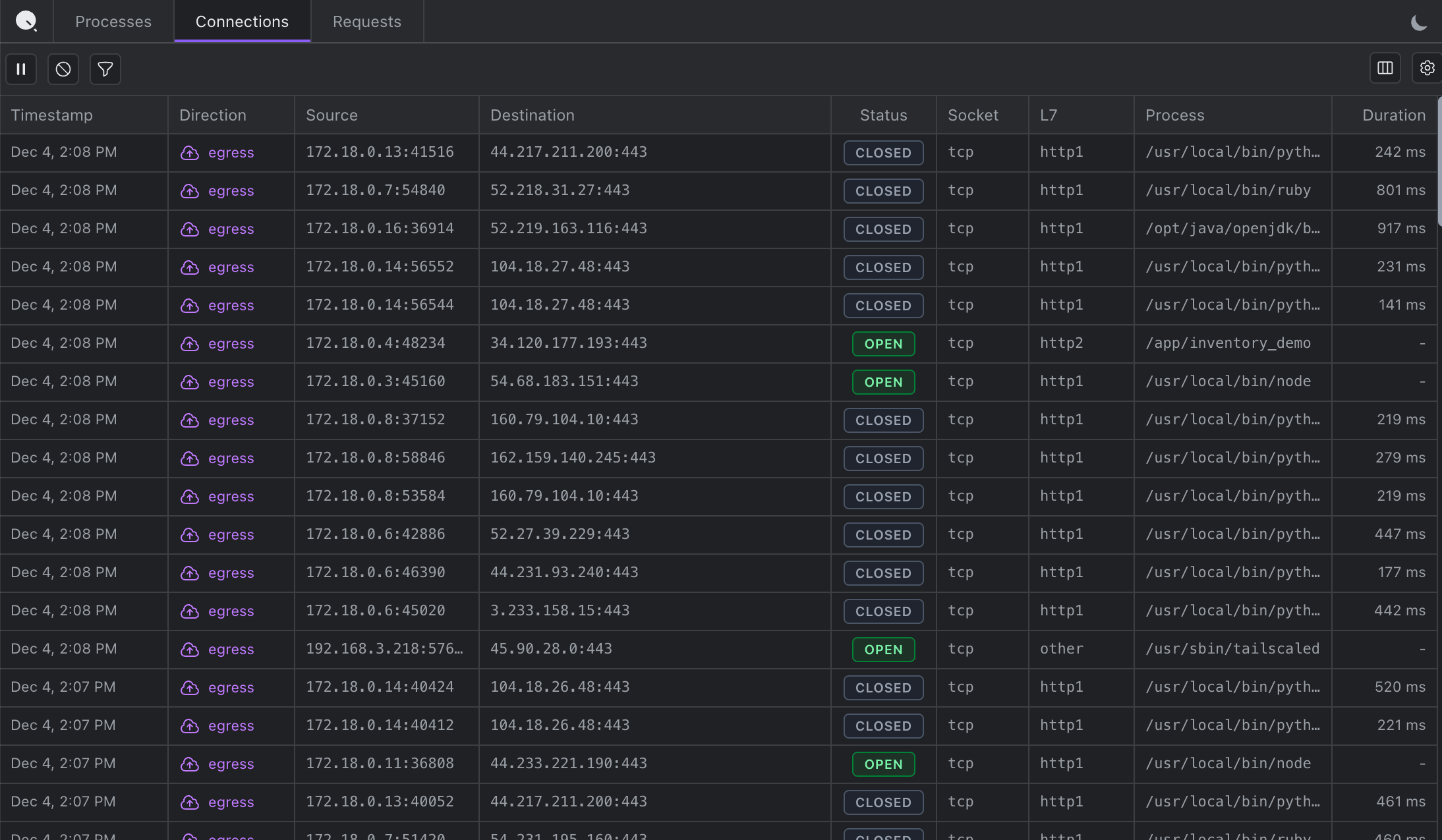
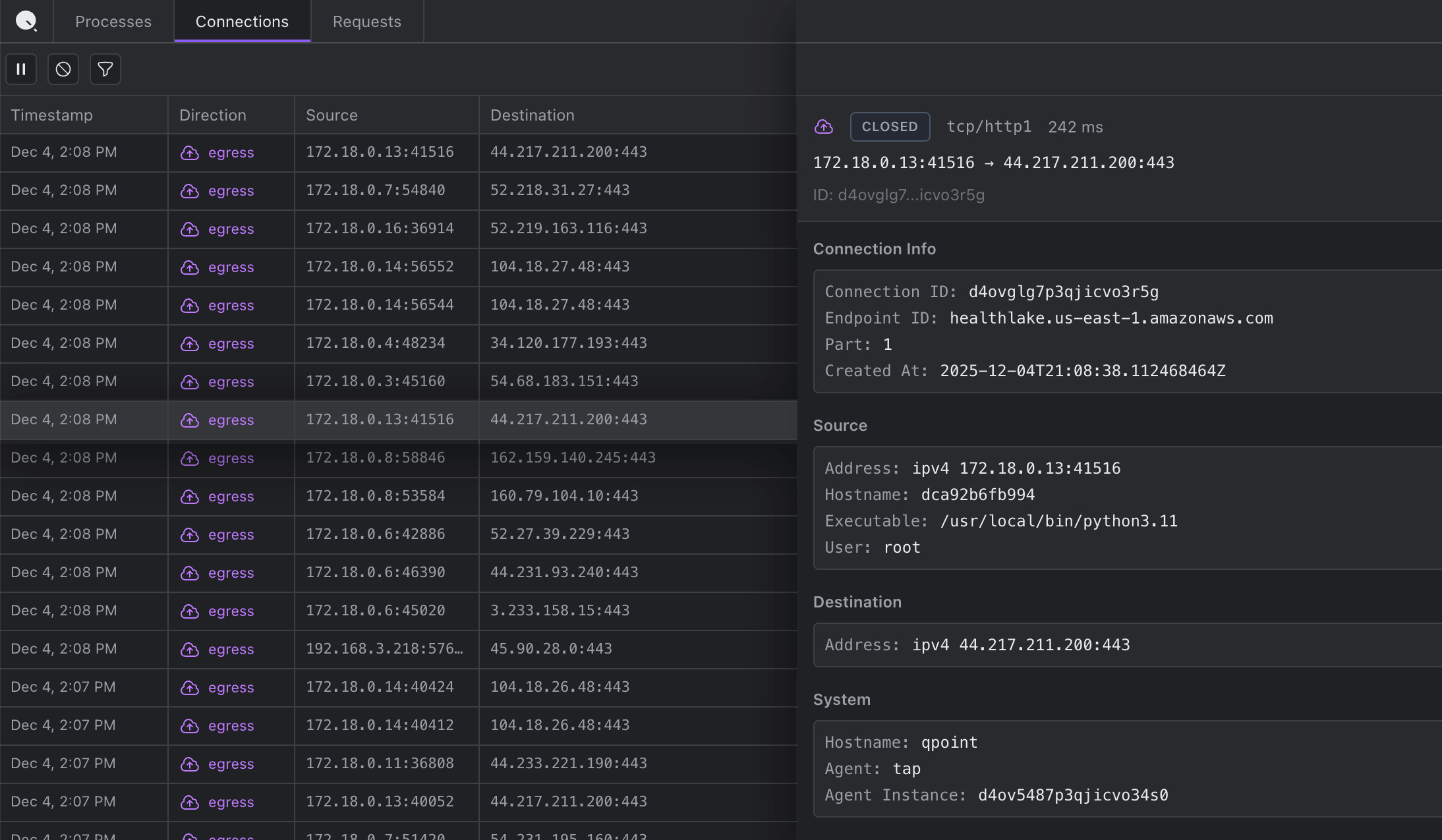
Connections
Every network connection with process attribution. See which external services your application connects to and identify unexpected outbound connections.
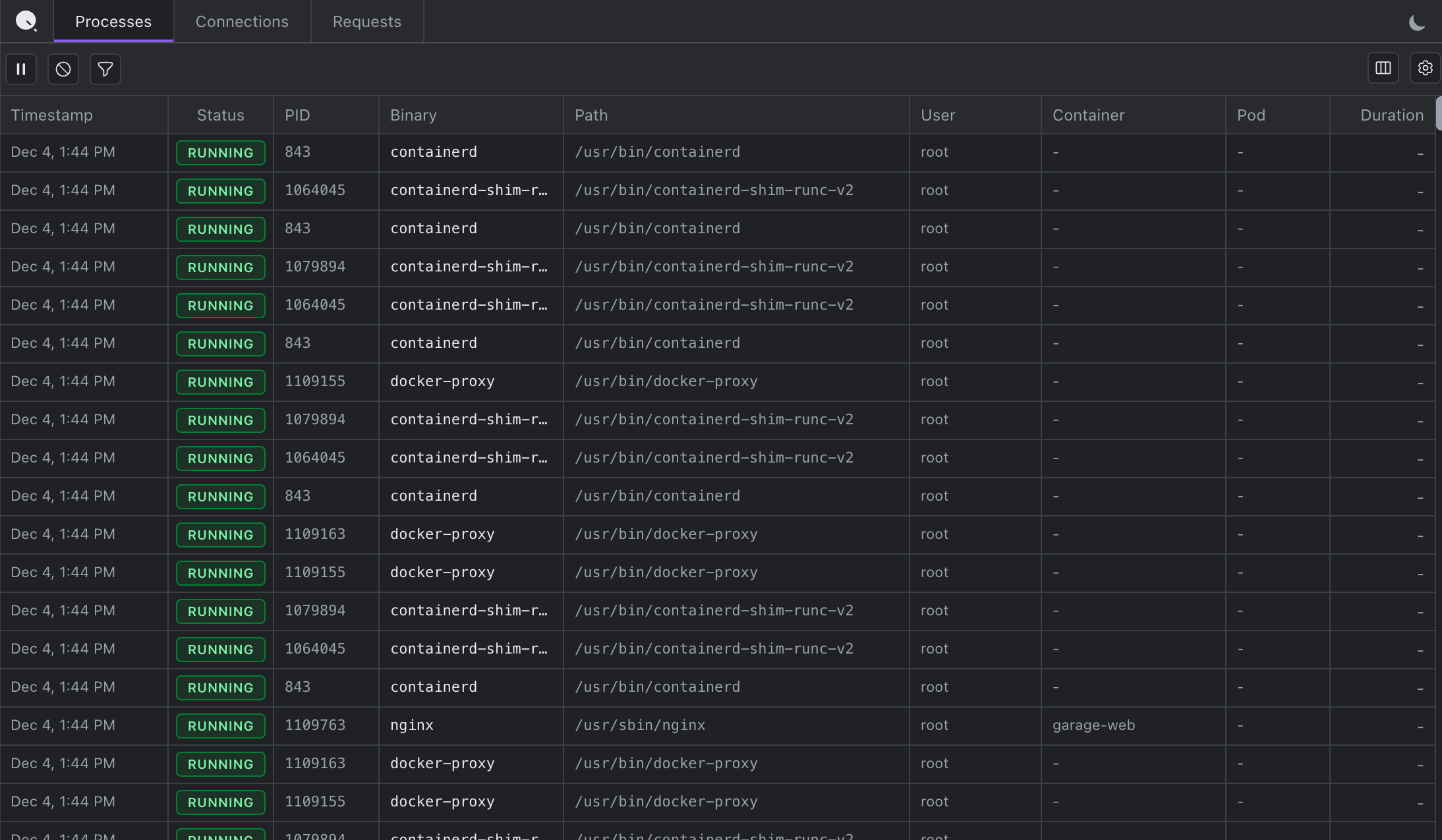
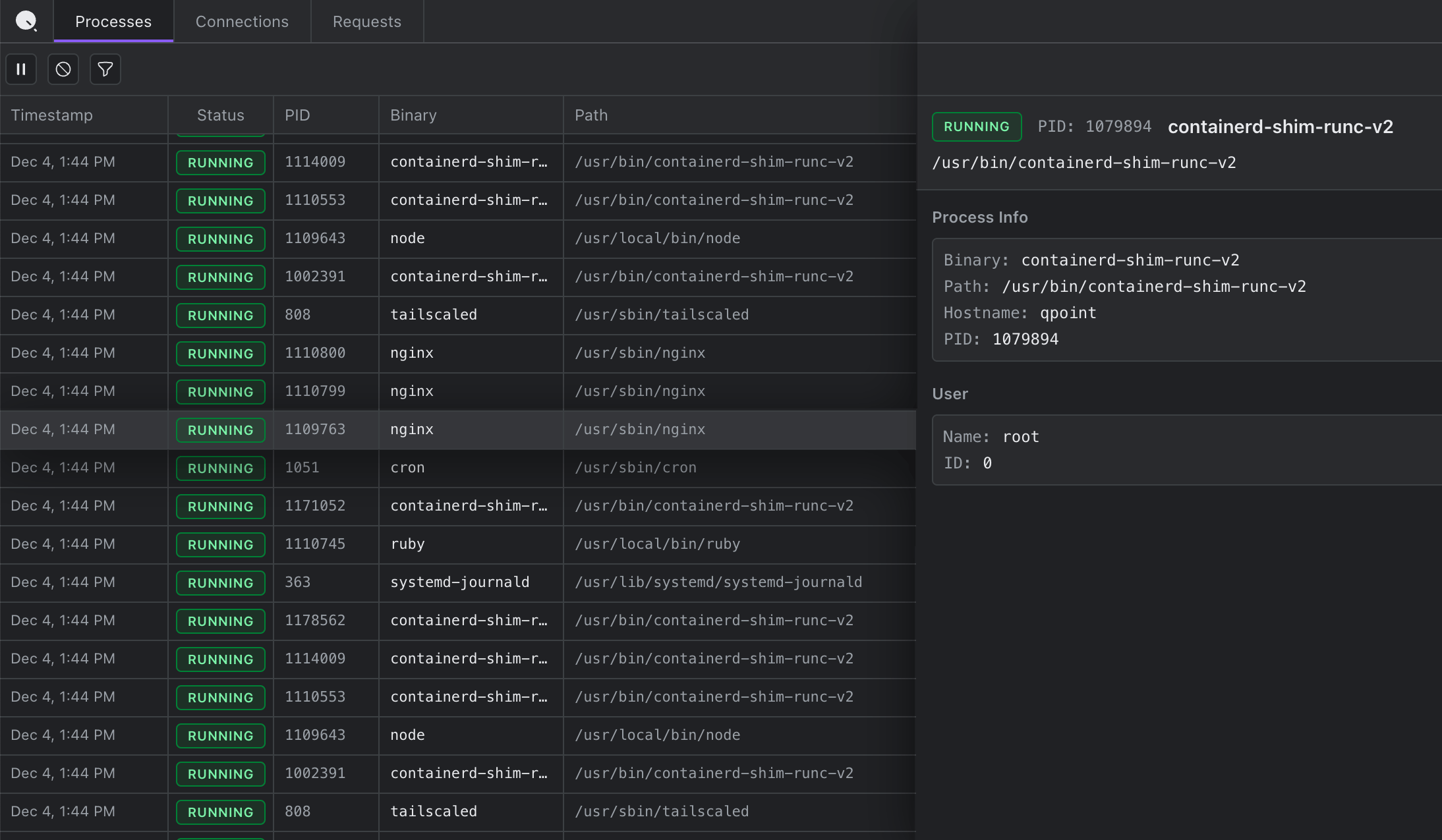
Processes
A real-time inventory of every process on the host. See what's actually running and correlate processes with network activity.
What Makes DevTools Different
vs. tcpdump / Wireshark
Shows plaintext HTTP/S automatically, no TLS keys needed
vs. Proxy Tools
No certificate installation, no proxy configuration, no restarts
vs. Application Logging
Captures complete HTTP/S traffic automatically, no code changes
vs. Qplane
Single-host emergency troubleshooting vs. fleet-wide monitoring
QTap DevTools brings the familiar Chrome DevTools experience to server-side debugging. Perfect for emergency troubleshooting and production incident response.
FAQ
No, QTap DevTools is out-of-band and read-only, ensuring zero impact on latency or application performance. It captures traffic passively without interfering with your applications.
No, QTap DevTools is safe and secure. The sensor runs in a guaranteed safe eBPF sandbox, which cannot crash your kernel.
A lot of time and effort is spent to ensure QTap is lightweight and uses minimal resources. For most workloads, you can expect to see less than 1% of CPU and less than 200MB of memory.
No, root access is required to run QTap, and if running in a production environment, we recommend binding to 127.0.0.1 and using SSH port forwarding to access the interface. There is no more risk than using any other traffic inspection tool.
DevTools currently shows the process and connection metadata and all HTTP/S requests and responses. Additional protocols will be available very soon (PostgreSQL, MySQL, Redis, Kafka, DNS, etc.)
Qtap works with all major apps and languages, including Node.js, Python, Java, Go, Ruby, PHP, and more. If you don't see http traffic from your app, let us know!
Yes, QTap is free and open source. It is available on GitHub under the AGPL-3.0 license.
Yes, QTap Pro is available under a commercial license. Please contact us for more information.
No, QTap DevTools is currently only supported on Linux. In the future, we will release QProxy to support non-Linux platforms.